Your schedule, students and studio, all in step.

Private lessons, beautifully in step. Dancer Lab books the lesson, keeps the package credits honest, keeps teachers and rooms in sync, and answers questions from your studio’s own records.

Free for dancers. Studios $49.99/month after a 14-day trial.

Free dancer access, sponsored by the World Dance Foundation

Today · Northstar Dance StudioReal workspace frame
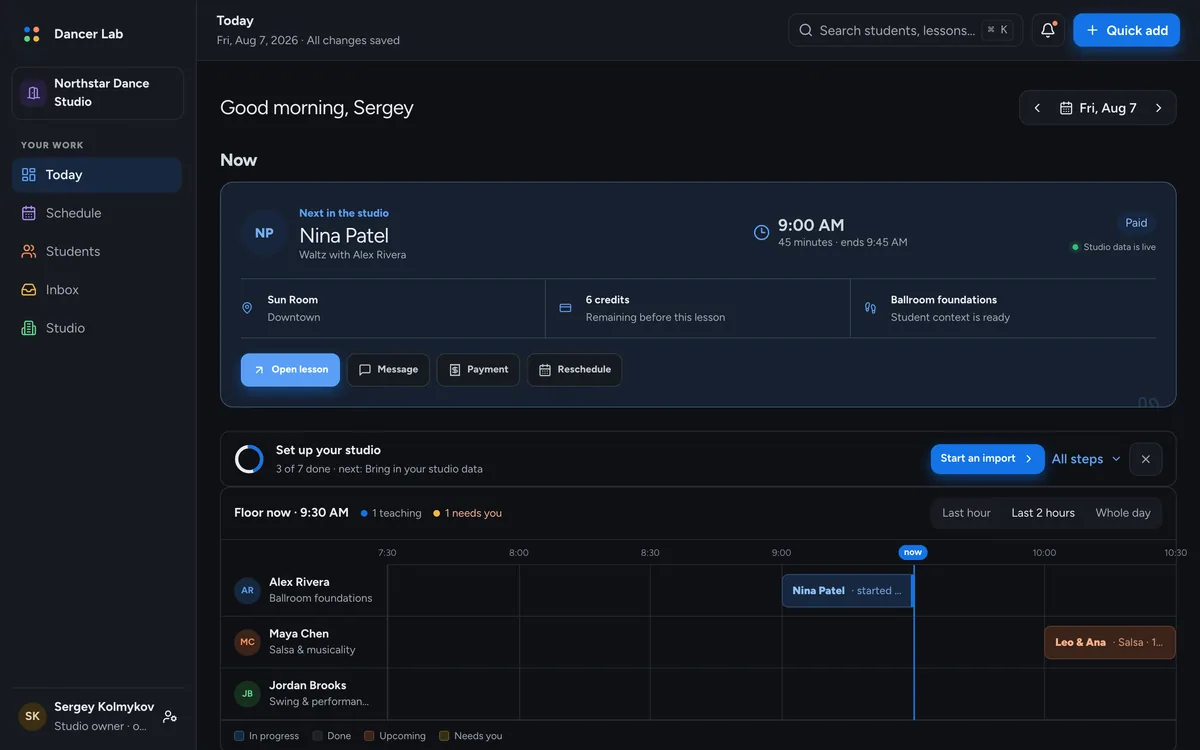
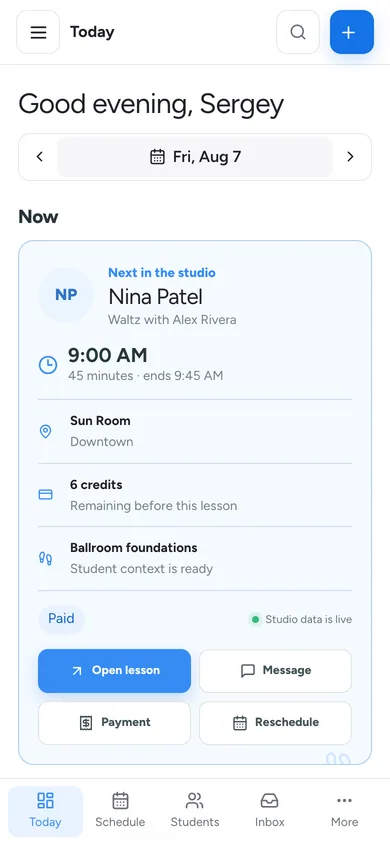
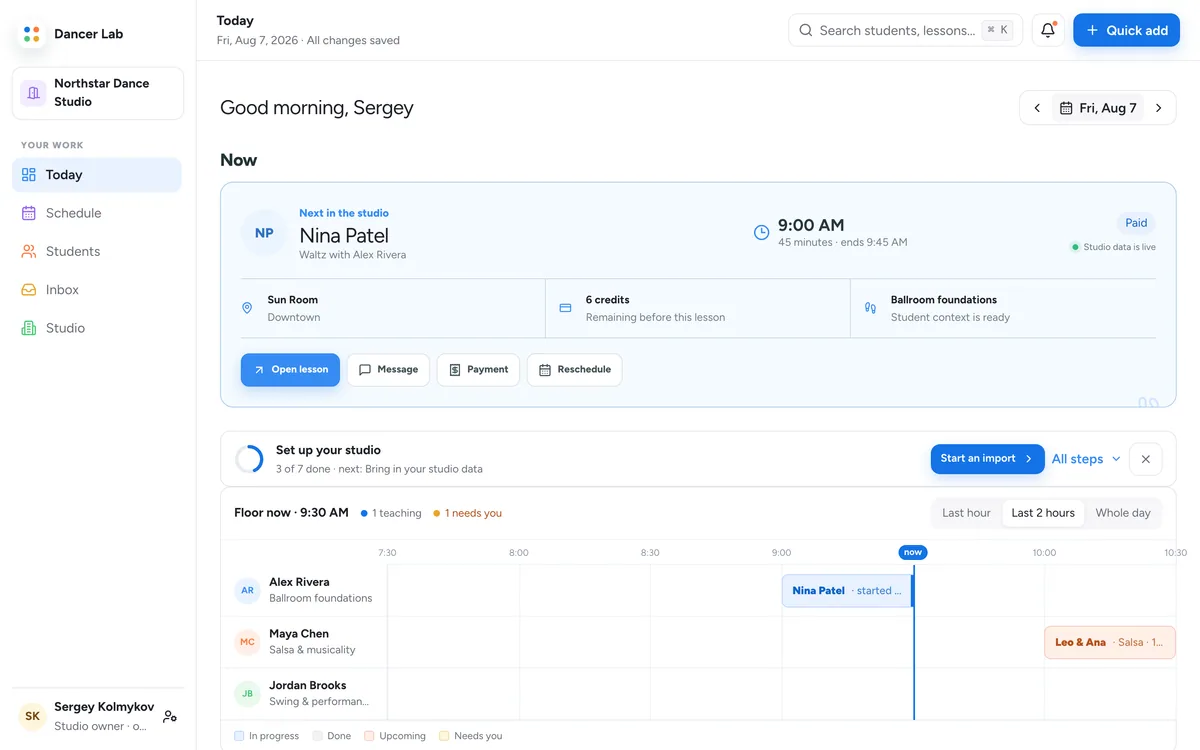
The Today view: the next lesson in the studio with its room, credits and student context, a setup checklist, and the floor-now timeline with one lane per teacher.The Today view in the dark appearance.
NowThe next lesson in the studio, with its room, credits and context, one tap from open, message, payment or reschedule.Teacher lanesFloor now: one lane per teacher, the live minute marked, what needs you in amber.
Run the day

The whole day, in order.

What needs you first, the floor as it is right now, and the week as lanes. Real frames of the workspace.

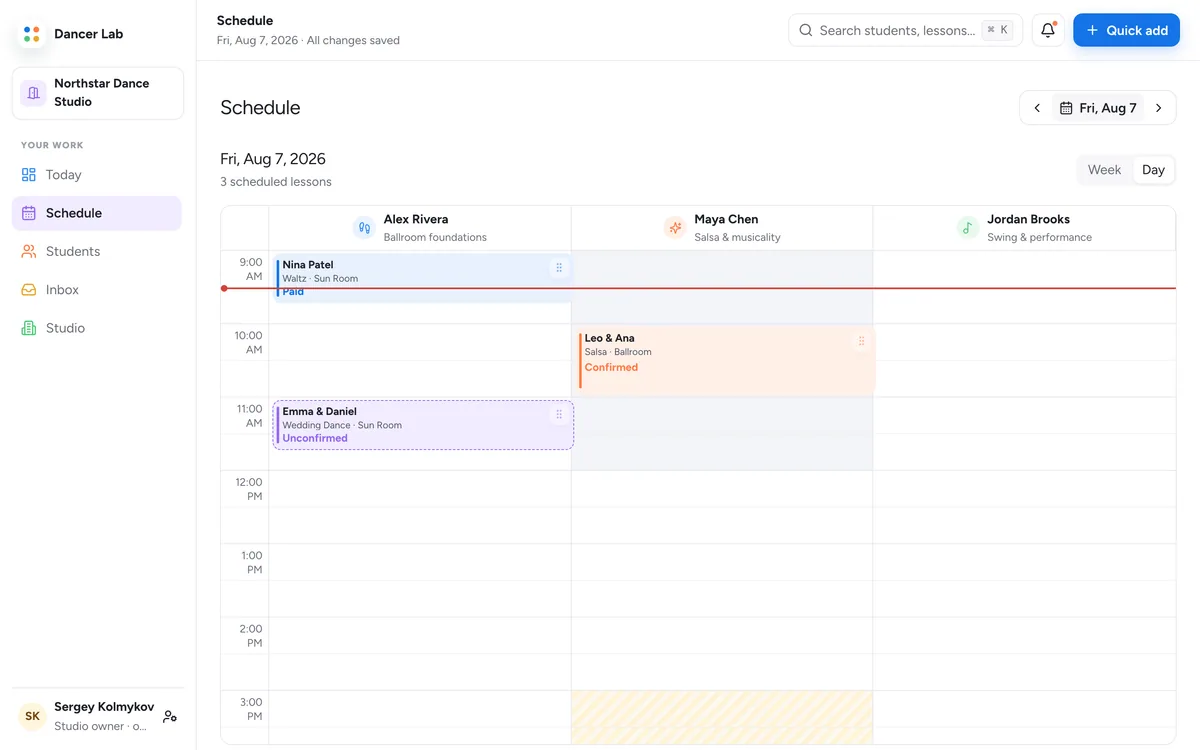
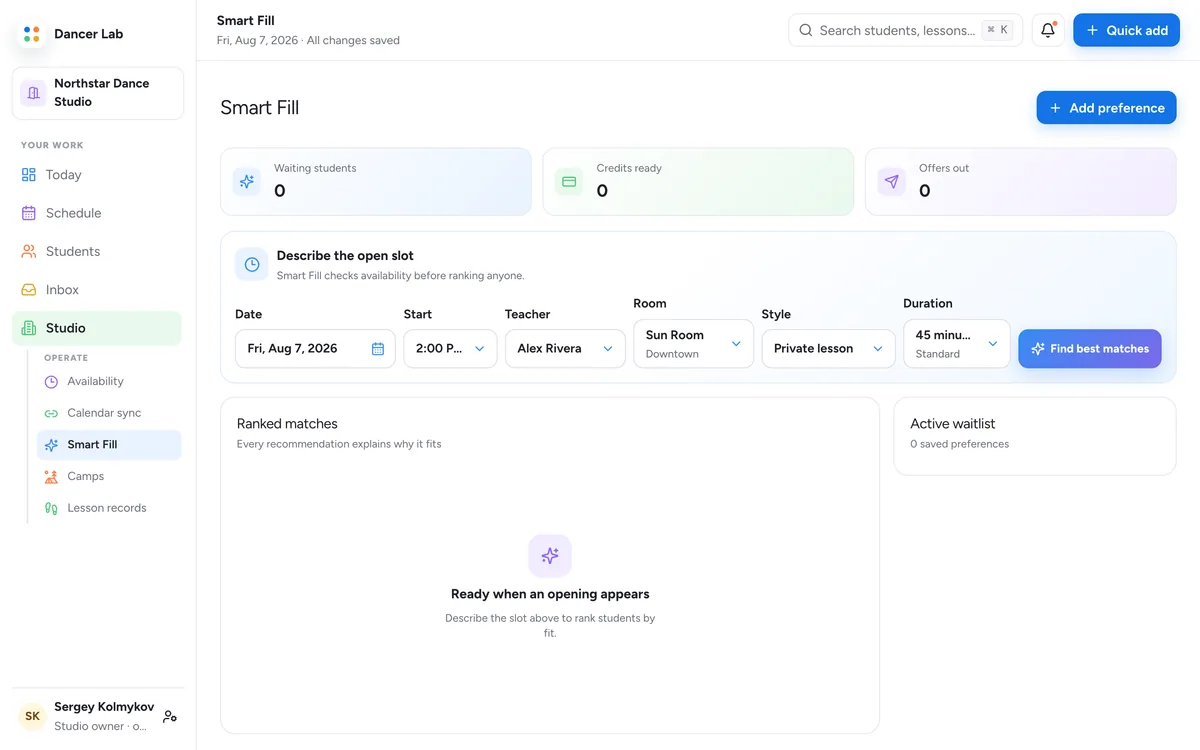
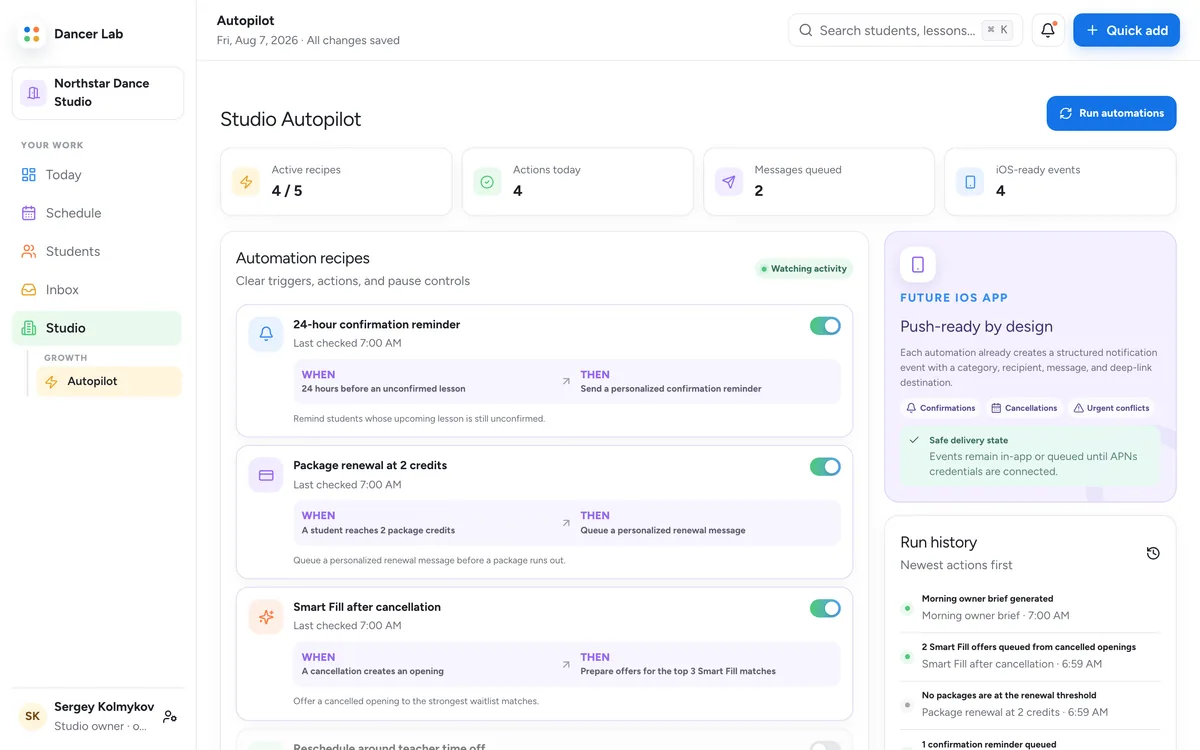
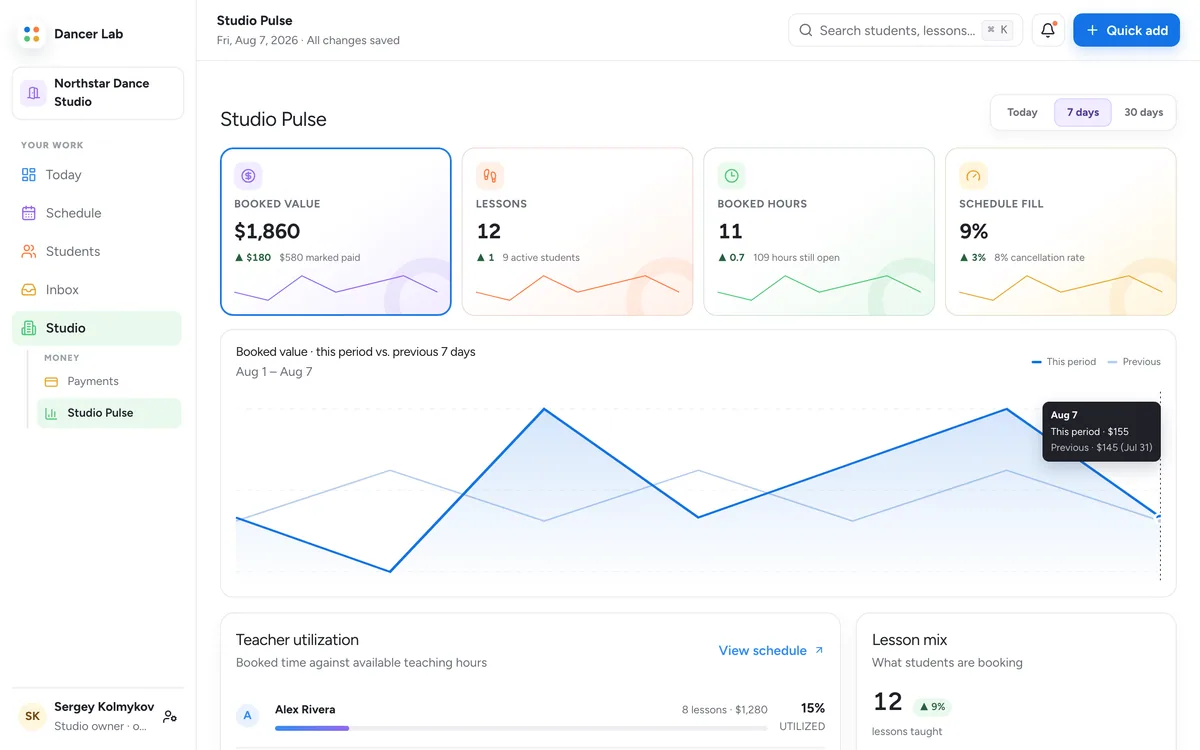
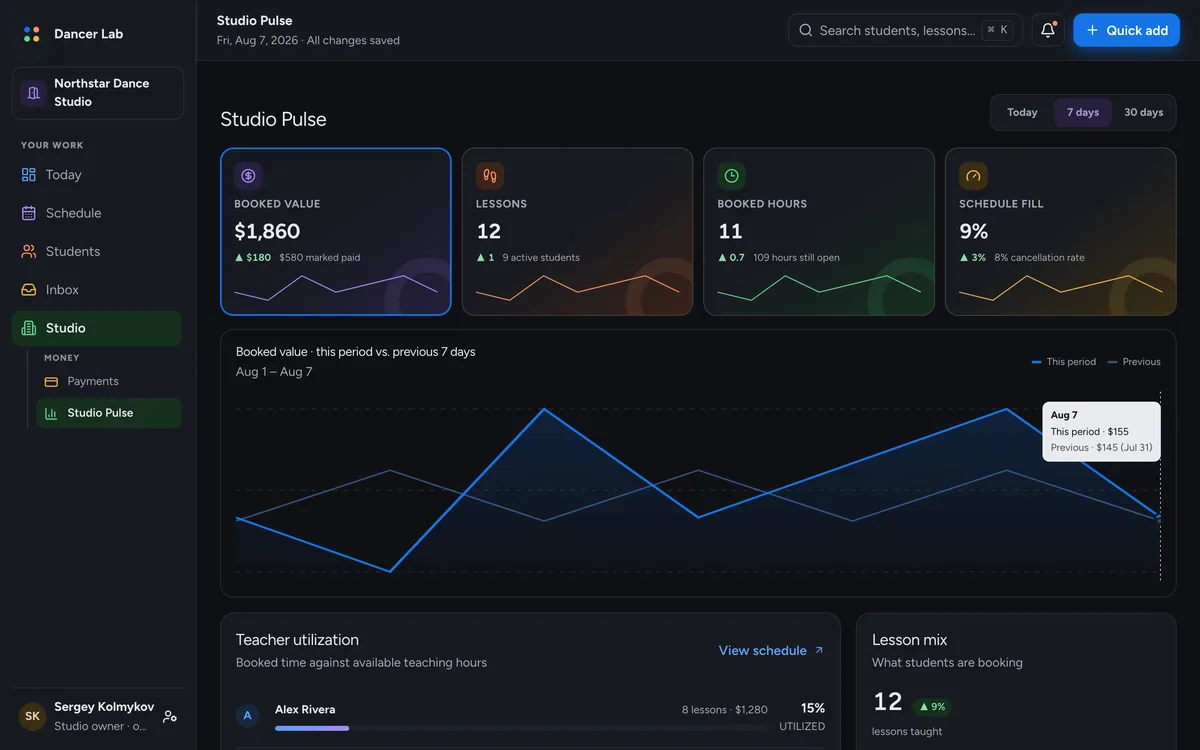
The Today view: the next lesson in the studio with its room, credits and student context, a setup checklist, and the floor-now timeline with one lane per teacher.The Schedule view: a week of lessons laid out as one lane per teacher.Smart Fill: an open slot with the waitlisted students who could take it, ranked and explained.Studio Autopilot: the studio's standing rules, written in plain language, with what each one did this week.Studio Pulse: booked value, lessons, booked hours and schedule fill against the previous period, teacher utilisation and the lesson mix.
Ask your studio

Ask a question.
Get an answer from your own records.

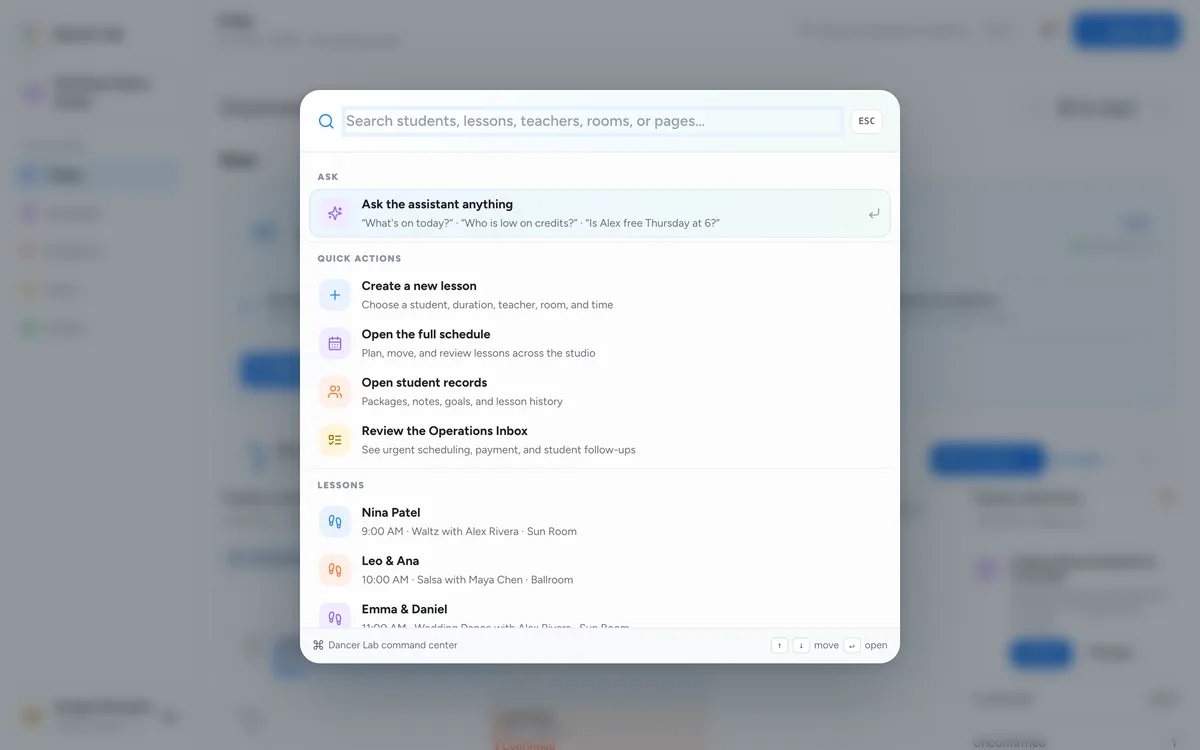
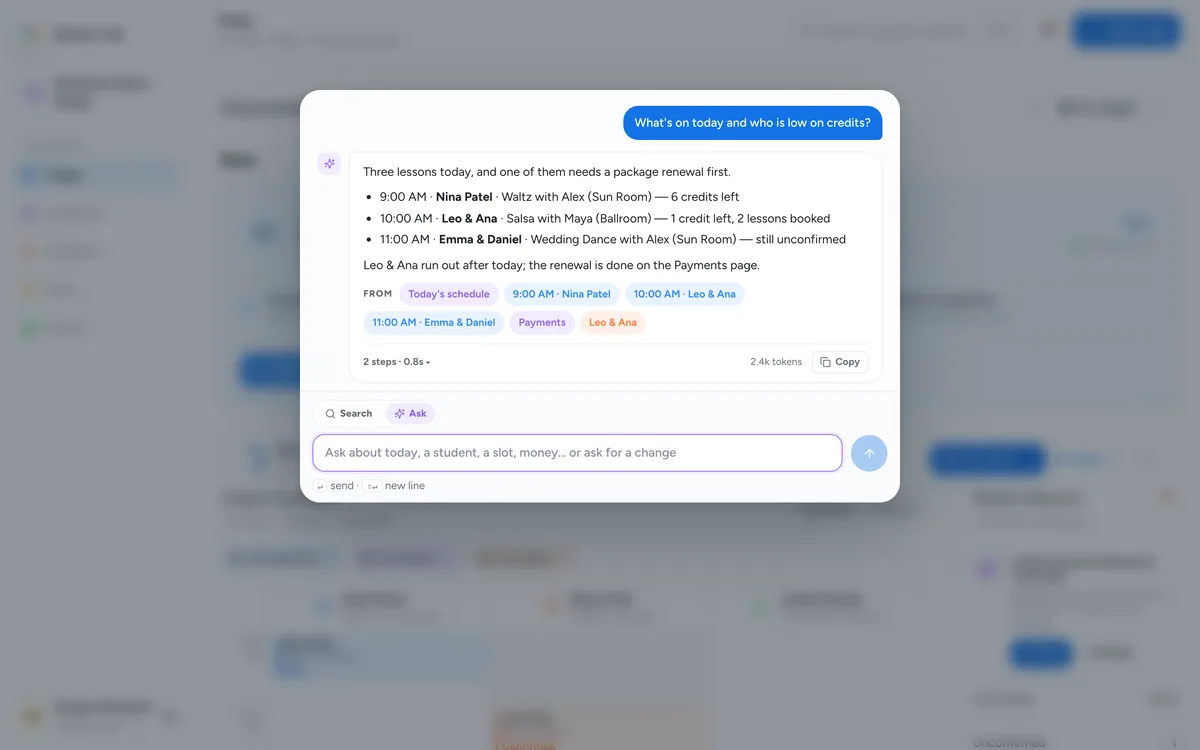
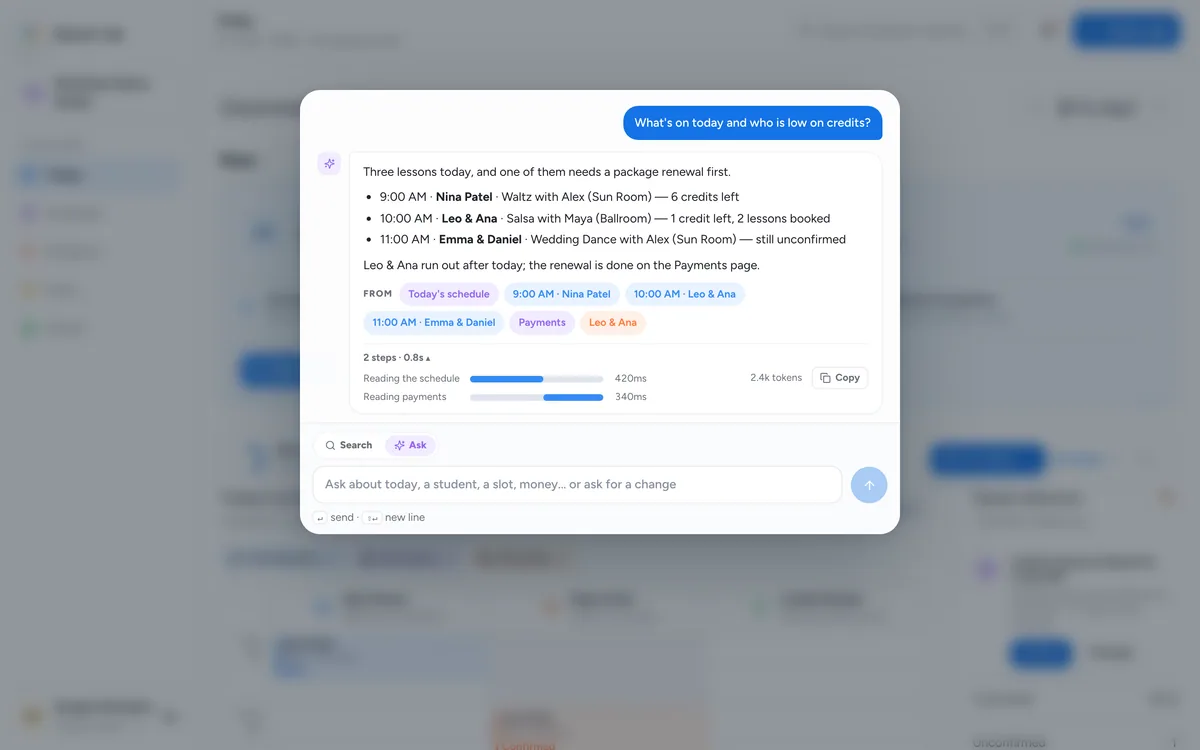
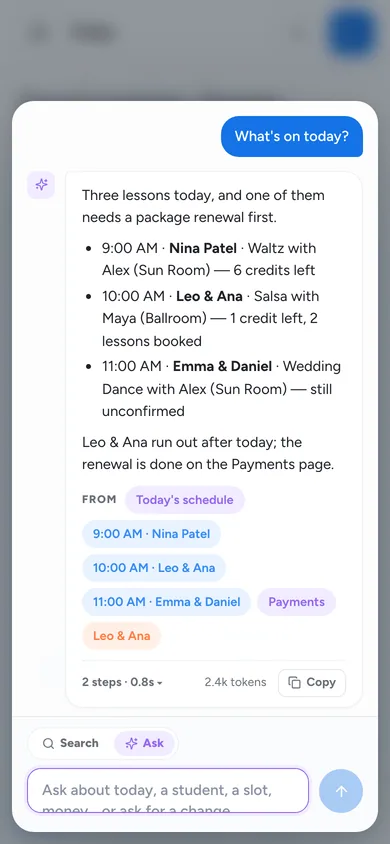
Press ⌘K, ask in plain words, and the assistant answers from today's schedule, the students and the payments, with the records it used shown as sources.

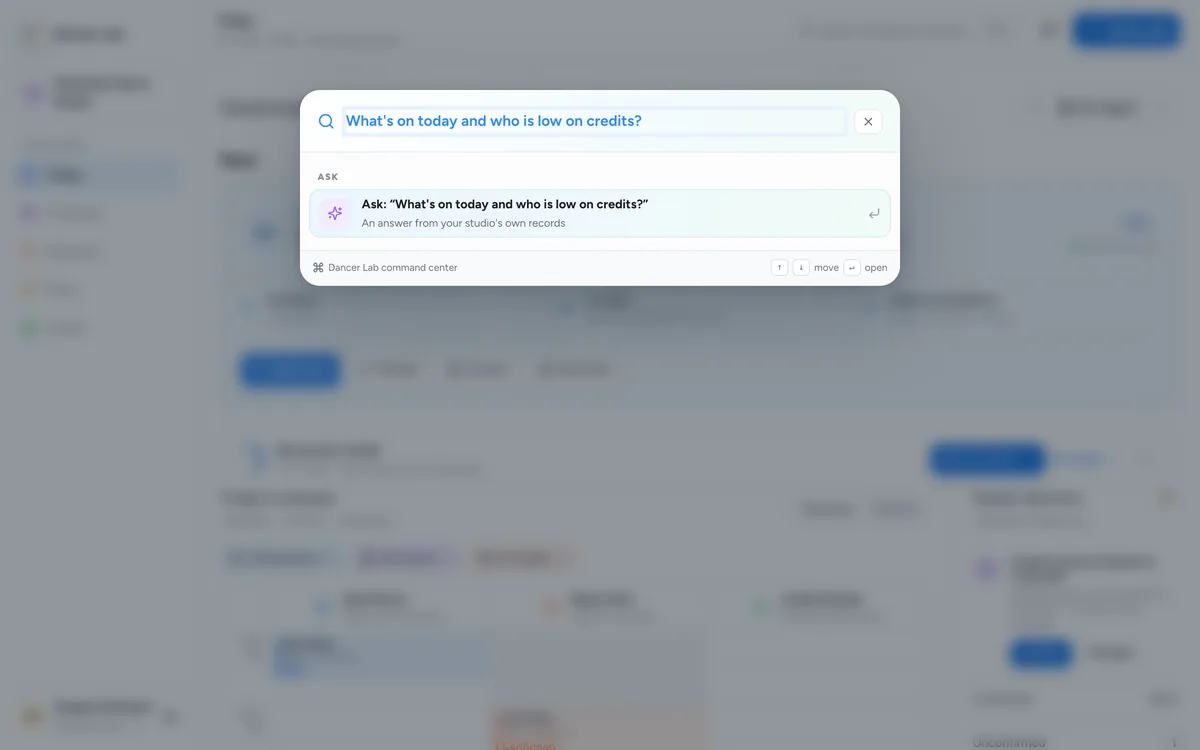
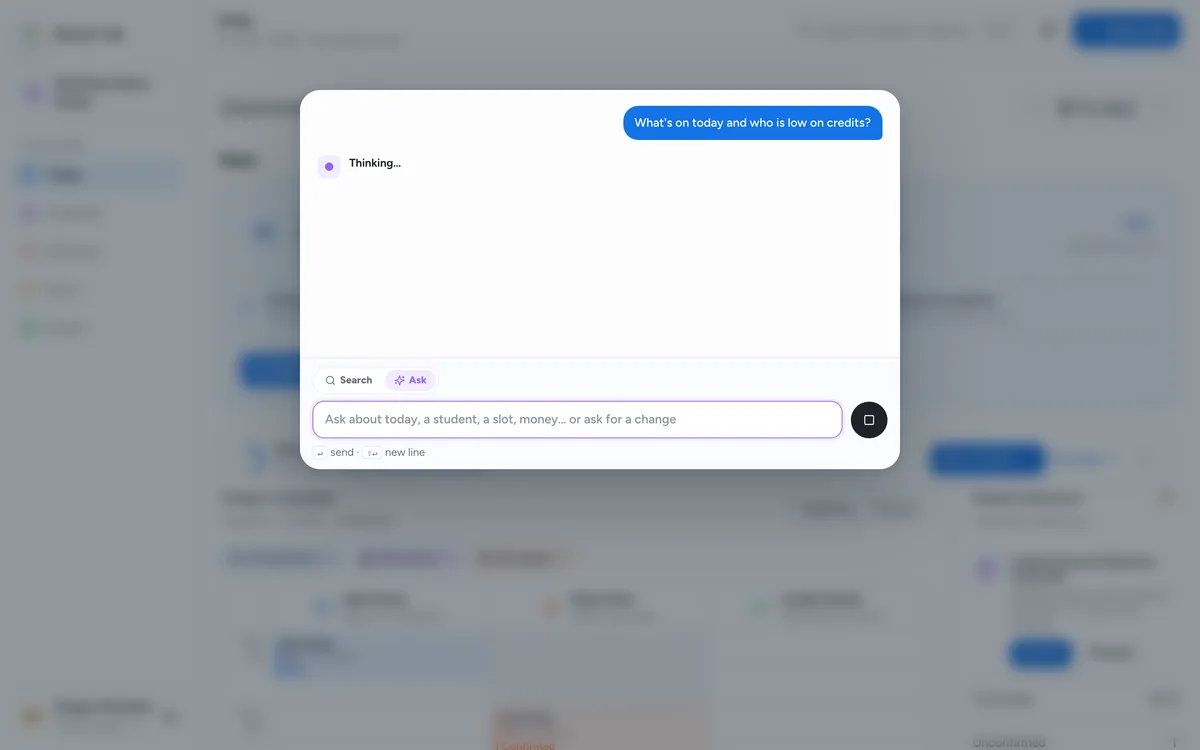
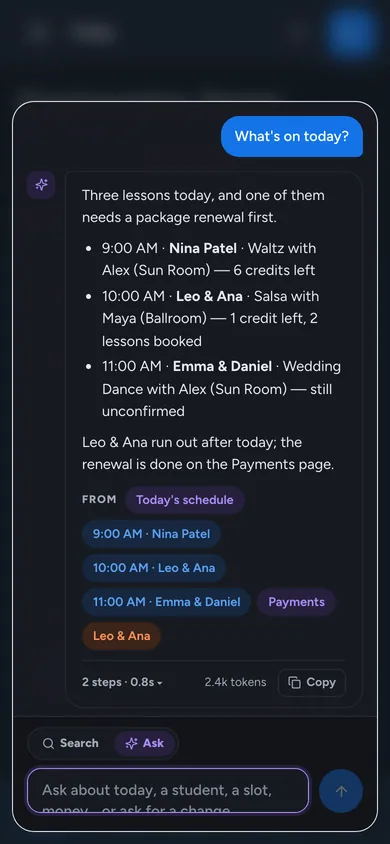
The command center open over the Today view, with Ask as the first row.A question typed into Ask: what's on today and who is low on credits.The assistant reading the schedule and payments before it answers.The answer: three lessons today, one needs a package renewal first, with the records it came from as sources.The run trace under the answer: two steps, reading the schedule and reading payments, with their timings and tokens.
Changes wait for your OK

Nothing happens
until you say so.

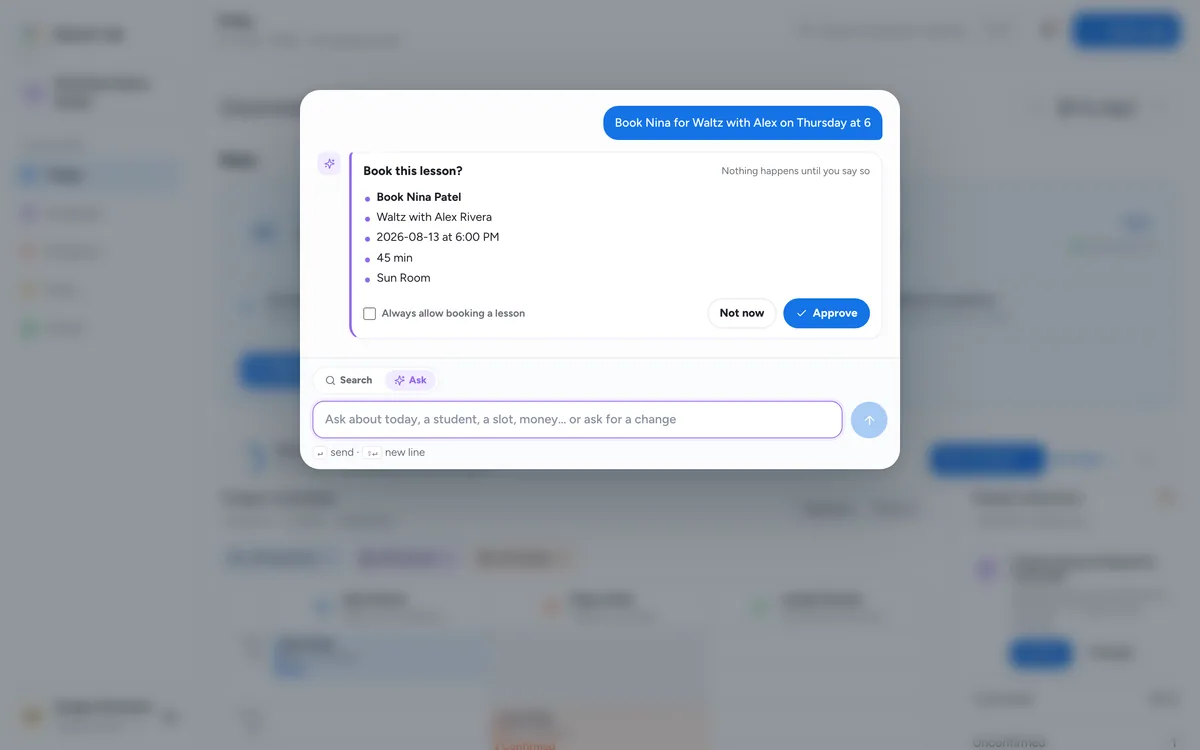
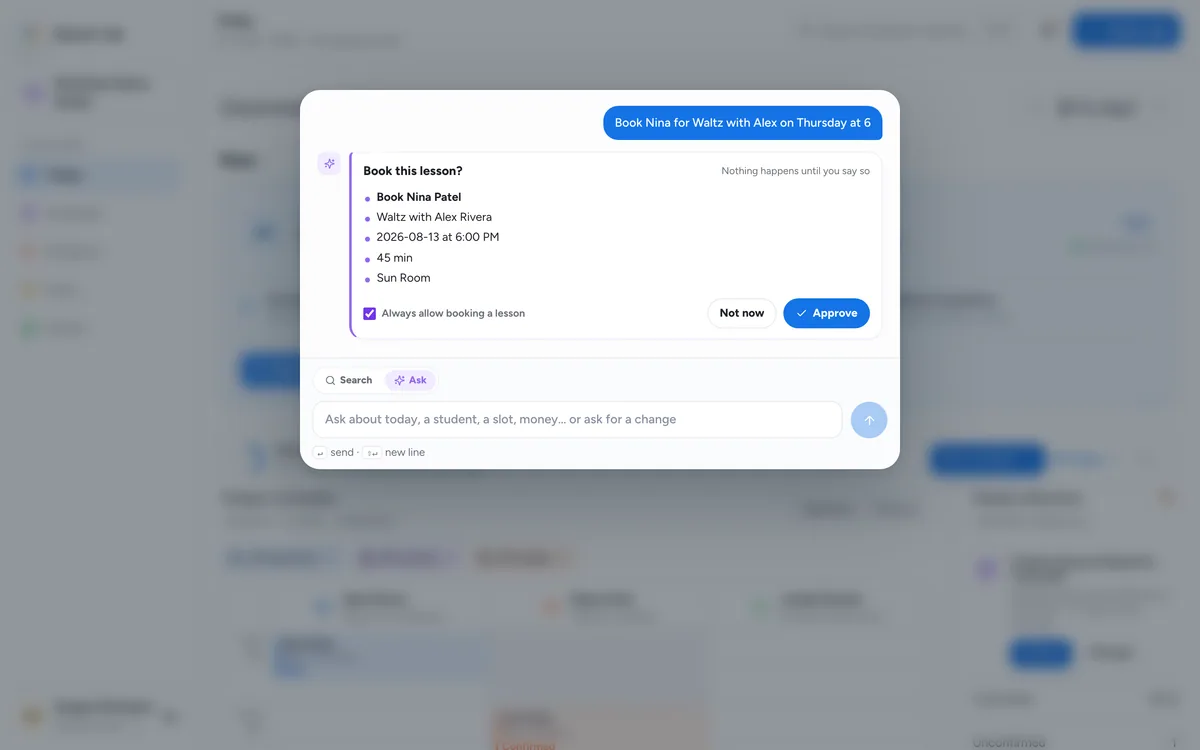
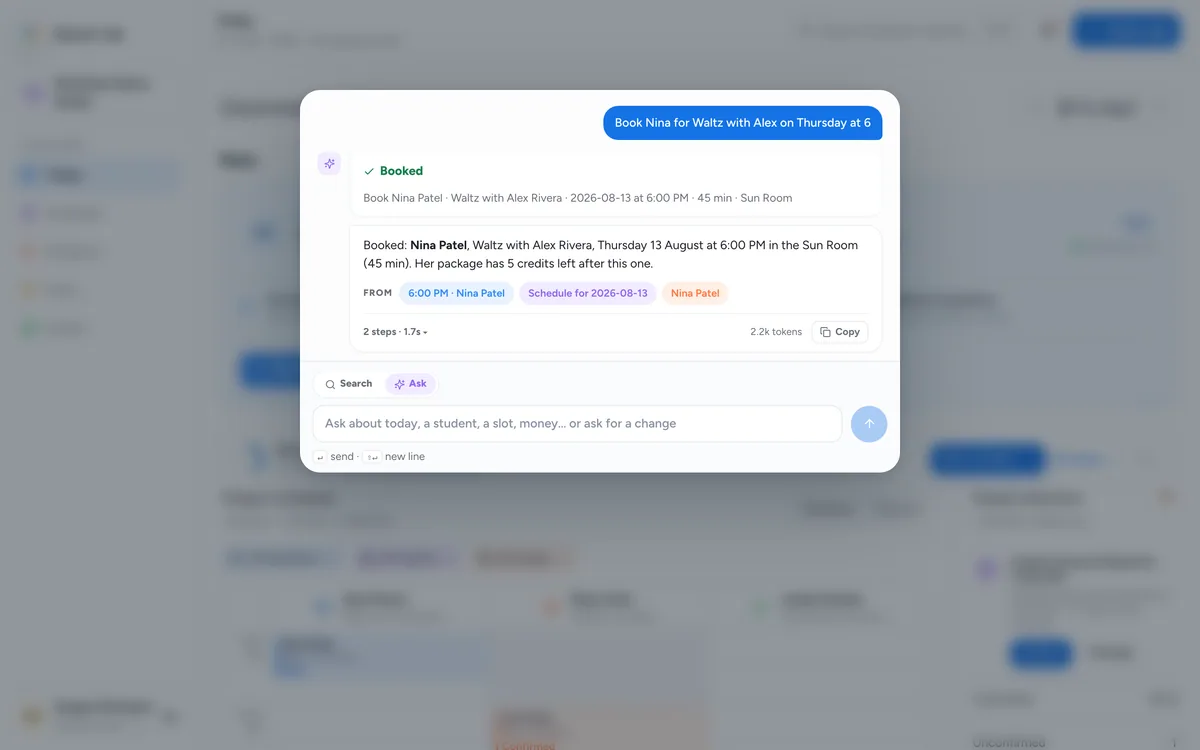
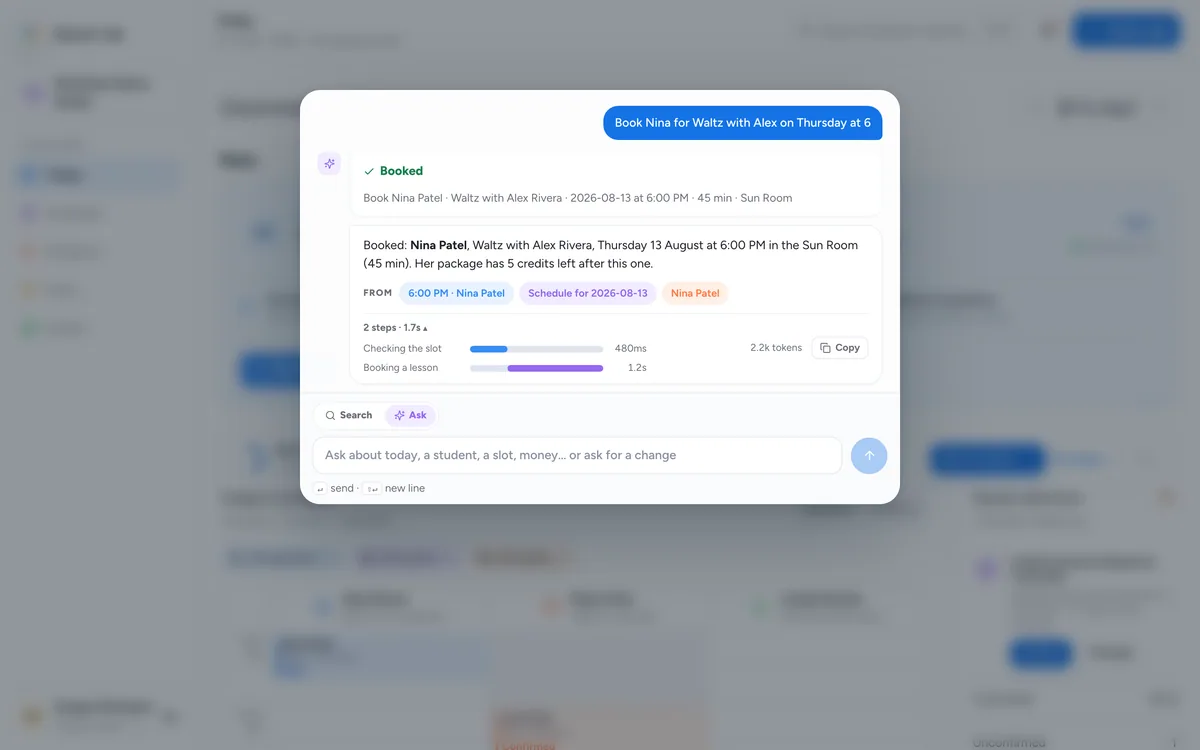
Ask for a booking, a move, a message or a cancellation. The assistant drafts the exact change on a card, and it runs only when you approve it.

An approval card: book Nina Patel for Waltz with Alex Rivera on Thursday at 6, waiting for Approve or Not now. Nothing happens until you say so.The approval card with Always allow booking a lesson ticked.Booked: the lesson is on the schedule and the assistant confirms it.The run trace with the write step shown in violet.
How it works

Up and running in three steps

Keep the studio you have. Dancer Lab fits around the teachers, rooms and packages you already run.

1

Set up the studio

Teachers, rooms, services and hours. Import what you have, invite the team, go live when it looks right.
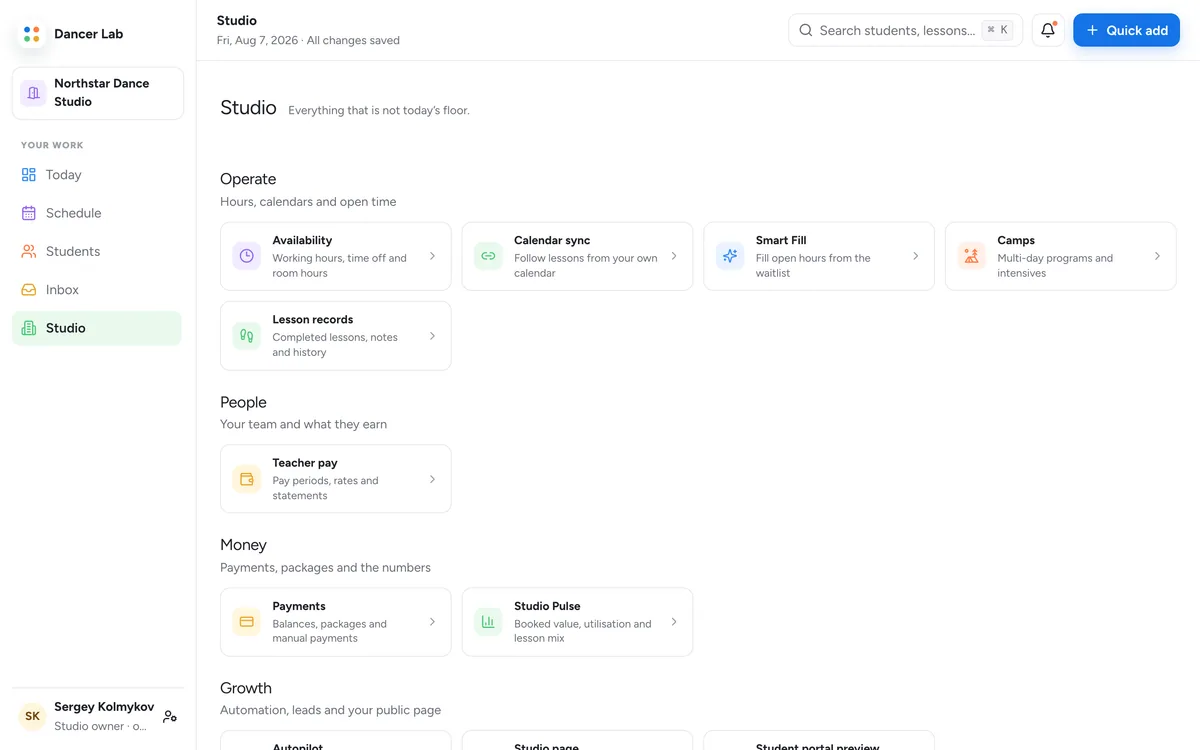
The Studio hub: setup, team, rooms, services and go-live.
2

Teach the week

Book, move and confirm. Today keeps the floor in order; the portal lets students book themselves.

The Schedule view: a week of lessons laid out as one lane per teacher.
3

Get paid

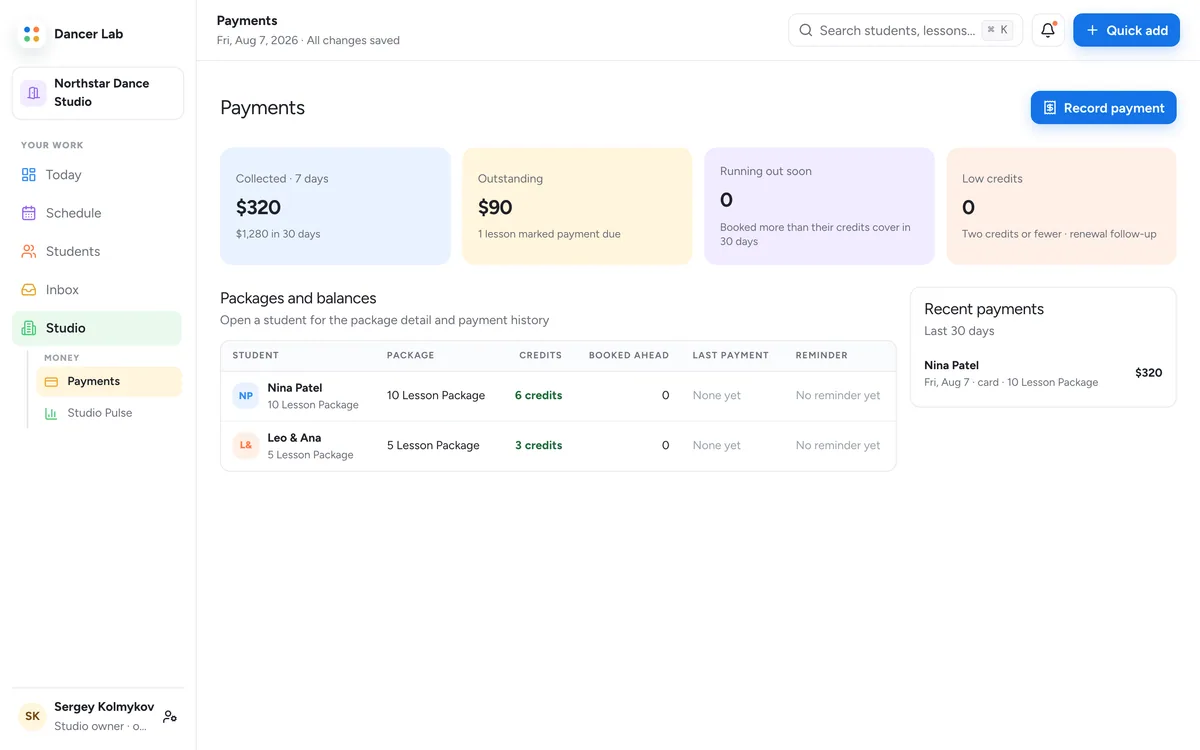
Packages and single lessons through Stripe. The package meter shows every balance; compensation follows every lesson.

Payments: packages, balances and the package meter for every student.
Students book themselves

A portal students
actually use.

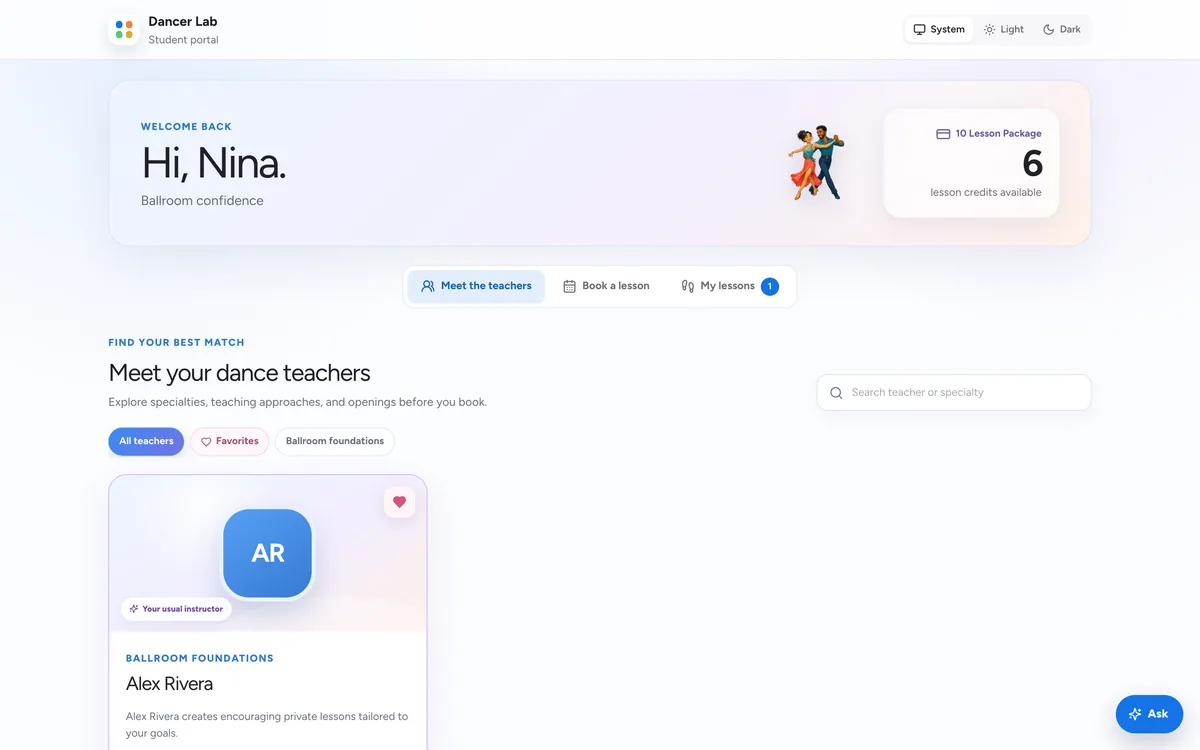
Credits, the next lesson, a three-step booking and an Ask button of their own, in the studio's colours.

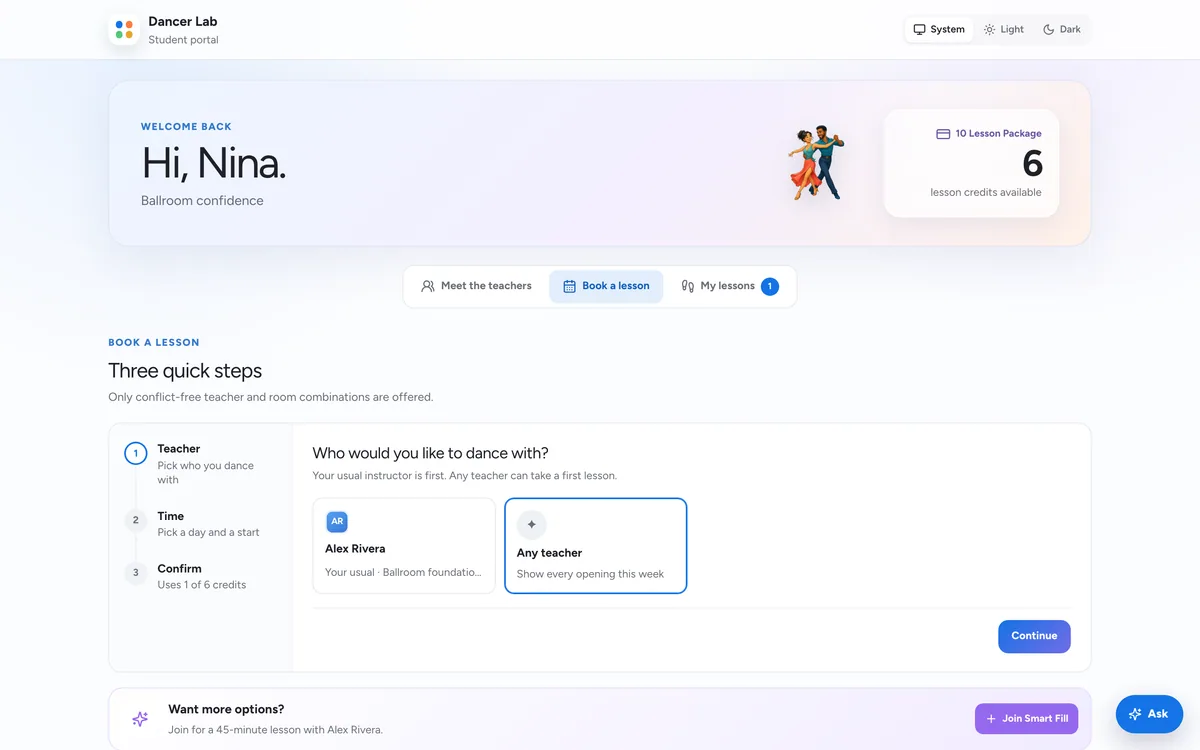
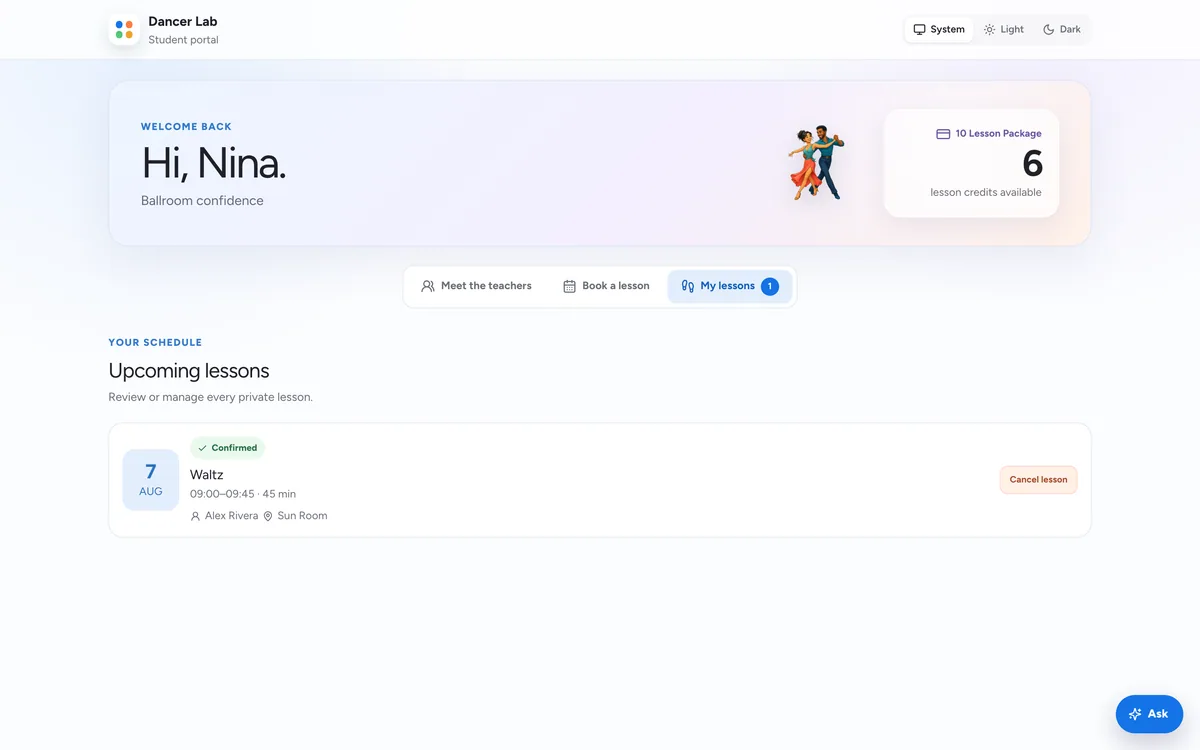
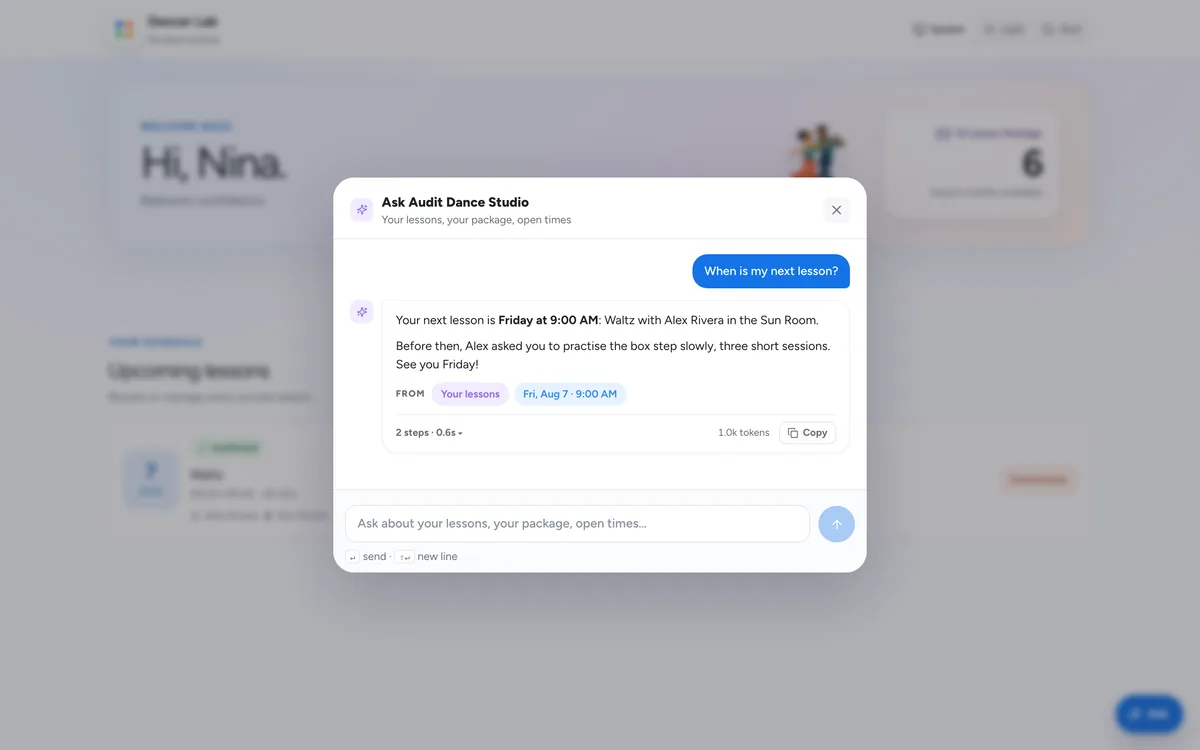
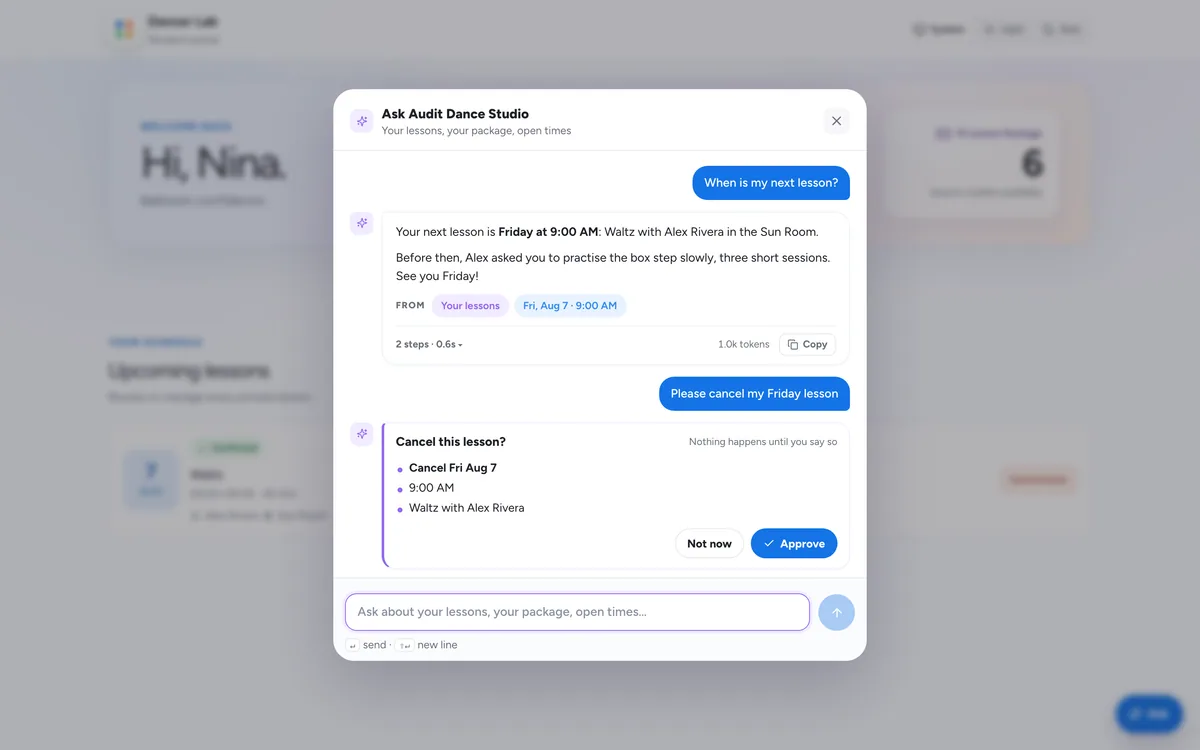
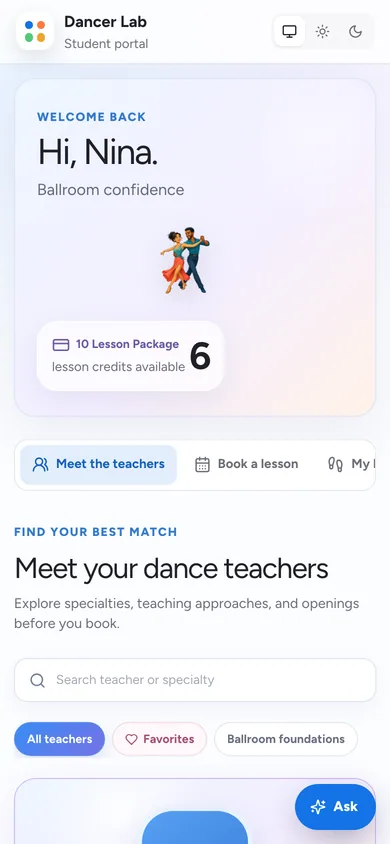
The student portal: a welcome, the package meter with credits available, and the next lessons.Book a lesson: the three-step stepper, choosing a teacher first.My lessons: the student's upcoming and past lessons.The portal's Ask sheet answering a student's question from their own records.A cancellation waiting on the student's yes before anything changes.
Light and dark

Every surface, both ways.

The workspace, the portal and this site follow the device, or your own choice. Hover the frame to see it switch.

Studio PulseLight · Dark
Studio Pulse: booked value, lessons, booked hours and schedule fill against the previous period, teacher utilisation and the lesson mix.Studio Pulse in the dark appearance.
Today on a phone.
Today
An Ask answer on a phone.
Ask
An Ask answer on a phone in the dark appearance.
Ask, dark
The student portal on a phone.
Portal
The details

The rest of the studio, covered.

Operations Inbox

Unconfirmed, unpaid, unanswered: one queue, each item resolved or snoozed.

Payments and the package meter

Packages, single lessons and receipts through Stripe; every balance as one bar.

Messages

Email and text reminders, recaps and replies, with delivery shown.

Availability

Each teacher's hours and rooms, honoured by every way a lesson can be booked.

Compensation

What each teacher earned, per lesson and per period.

Camps

Parallel floors, public registration and organizer approvals.

Calendar sync

Google and Apple calendar subscriptions, with privacy controls.

Students

Every student with a timeline: lessons, notes, credits and messages.

Services, priced

Lengths and prices per service, so a lesson is priced, never estimated.

Keyboard first

⌘K reaches everything; Ask covers the rest.

On the phone

The workspace and the portal are built for a phone browser; an iPhone app is in beta.

Light and dark

Follows the device, or your own choice, on every surface.

Who it's for

One product, three ways in.

Simple pricing

Free for dancers.
Built for studios.

Dancers and Solo teachers pay nothing. Studio plans are $49.99/month after a 14-day free trial.

Dancers & Solo

$0 / always

Free for dancers and independent teachers

  • Unlimited students
  • Booking portal
  • Lesson recaps
Join free

Camps

$129 / month

For programs and intensives

  • Public registration
  • Parallel floors
  • Organizer approvals
Start 14-day free trial

Free dancer access, sponsored by the World Dance Foundation
Every dance carries
a world inside it.

Explore where the dances came from, how their music shaped the movement, and why each one still feels different in your hands.

Miniature couple turning in an elegant waltz on a parquet platform
Ballroom

Waltz

OriginGerman-speaking EuropeEmergesLate 1700sListen forFlowing 3/4 time

The waltz grew from turning folk dances and transformed European social dancing by bringing partners into a close, revolving hold.

On the floor todayIts slower ballroom form favors rise, fall, and long traveling shapes.

22 dances to explore Swipe, scroll, or use the arrows

Dance histories cross borders and communities; these short introductions are a starting point, not the last word.

Library of Congress · Western social dance Library of Congress · Lindy Hop at the Savoy Smithsonian · Salsa’s roots Vienna · The Viennese waltz
FAQ

A few things before you start.

Anything else? Write to support@dancerlab.com.

Which plan should I choose?

Dancer and Solo accounts are free, sponsored by the World Dance Foundation. Studio is $49.99/month and adds team and room coordination, analytics, and automations. Camps is designed for programs with public registration and parallel teaching spaces.

Do students need a paid plan?

Dancer access is free, including Solo teachers. Lessons and packages purchased from a teacher or studio are priced separately. Your students can use their portal for lessons, credits, and practice notes.

Does the assistant change my records on its own?

No. Questions are answered from your studio’s own records. A change the assistant proposes waits on an approval card, and it runs through the same rules as a change made by hand. Every turn keeps a trace you can open.

Are payment processing fees included?

The prices above are workspace subscription prices. Online student payments may also carry payment processing and platform fees. Contact us for the fees that apply to your studio.

Does it work on my phone?

Yes. The workspace and the student portal are built for a phone browser, and an iPhone app is in beta.

Can I get help setting up?

Yes. Visit support for help with your account, studio setup, and billing.

Ready for a smoother
studio rhythm?

Bring your lessons, people, and possibilities together.